

Why the Internet Can Never Be Faster Than Light (And How I Proved It With Two Cloud Servers)
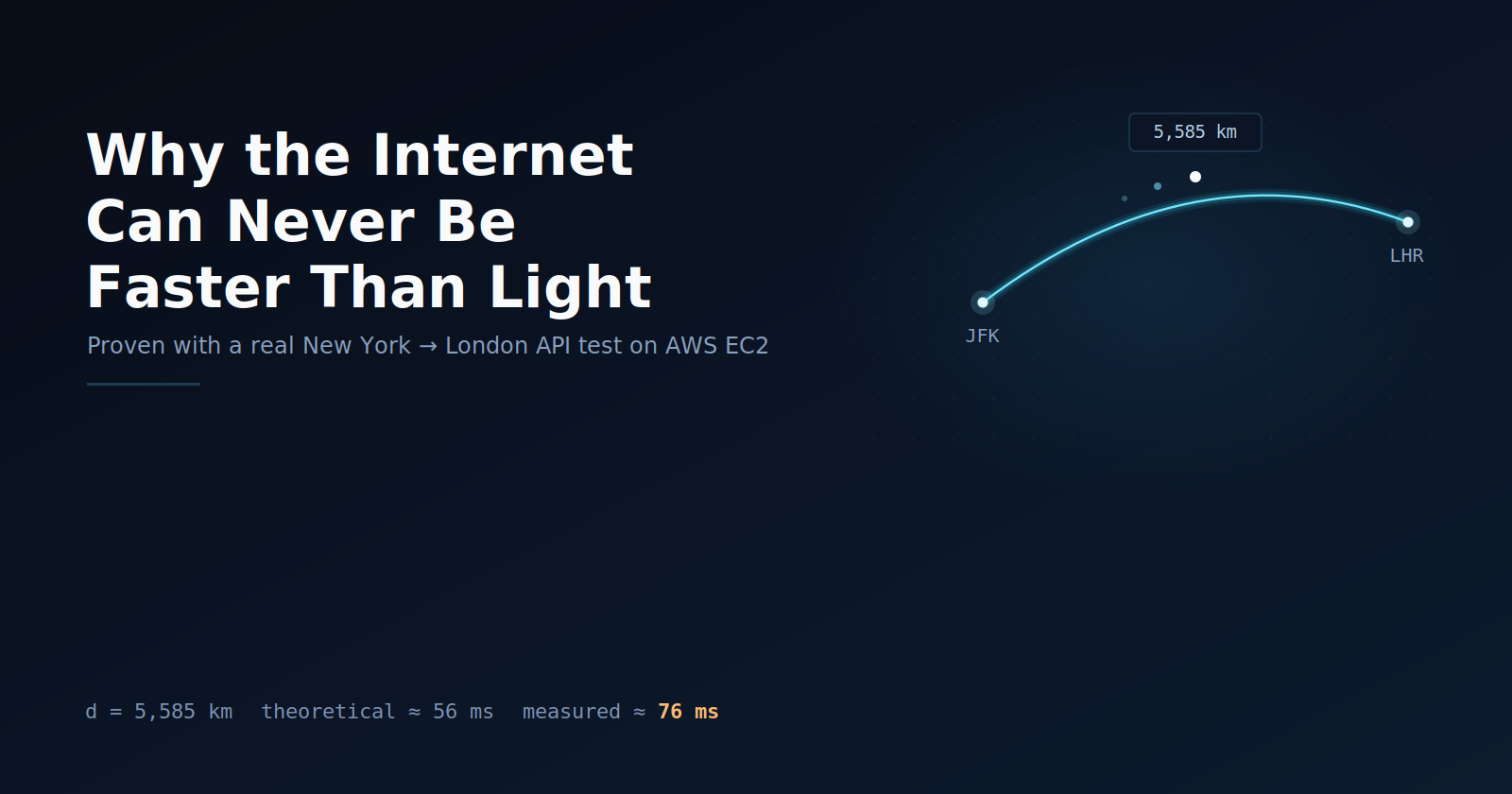
There's a number that sounds boring but is actually kind of amazing: 56 milliseconds. That's roughly the fastest a piece of data could travel from New York to London and back, even with perfect internet, zero traffic, and the best hardware money can buy. You can't make it faster. Not with a better server, not with more money, not with clever code. It's a law of physics, not an engineering limitation.
The Speed of Light in Empty Space
Light has a top speed. In empty space, with nothing in the way, it travels at:
Speed of light = 299,792 km per second
This is one of the true constants of the universe. Nothing with information or energy can travel faster than this. Not lasers, not radio waves, not your internet data.
Glass Slows It Down (The Refractive Index)
But your data doesn't travel through empty space, it travels through glass (fiber-optic cable). Glass is denser than a vacuum, so light moving through it slows down. How much it slows down is captured by one number called the refractive index. For standard fiber-optic glass:
Refractive index = approximately 1.5
The actual speed of light inside the cable is:
Speed in fiber = Speed of light divided by Refractive index
Speed in fiber = 299,792 divided by 1.5
Speed in fiber = approximately 199,861 km per second
So light in fiber moves at roughly two-thirds its normal speed. That ratio, one divided by 1.5 equals two-thirds, is the fixed "tax rate" glass charges. No engineer can lower it. It's baked into the physics of the material.
Time = Distance Divided by Speed
This is the one formula that ties it all together:
Time = Distance divided by Speed in fiber
New York to London is about 5,585 km. Plugging in:
One-way time = 5,585 divided by 199,861
One-way time = approximately 0.02795 seconds
One-way time = approximately 28 milliseconds
That's the time for data to travel one direction, once.
Round-Trip Time (RTT)
Most internet requests aren't one-way, your computer sends a request, and the other side sends a reply back. That's a round trip, so we simply double the one-way time:
Round-trip time = 2 times Distance divided by Speed in fiber
Round-trip time = approximately 2 times 28 milliseconds
Round-trip time = approximately 56 milliseconds
No traffic, no bugs, no bad code, just distance, glass, and the speed of light. This is the best-case floor. Real life is always a little slower, never faster.
Why It Matters
You can't fix this with better code. If your server is on one continent and your user is on another, every back-and-forth pays this same distance tax. That's exactly why services like Cloudflare exist, they don't beat the speed of light, they just make the trip shorter by storing data closer to the user.
Cloud Proof
Image showing, pinging new york server from london server
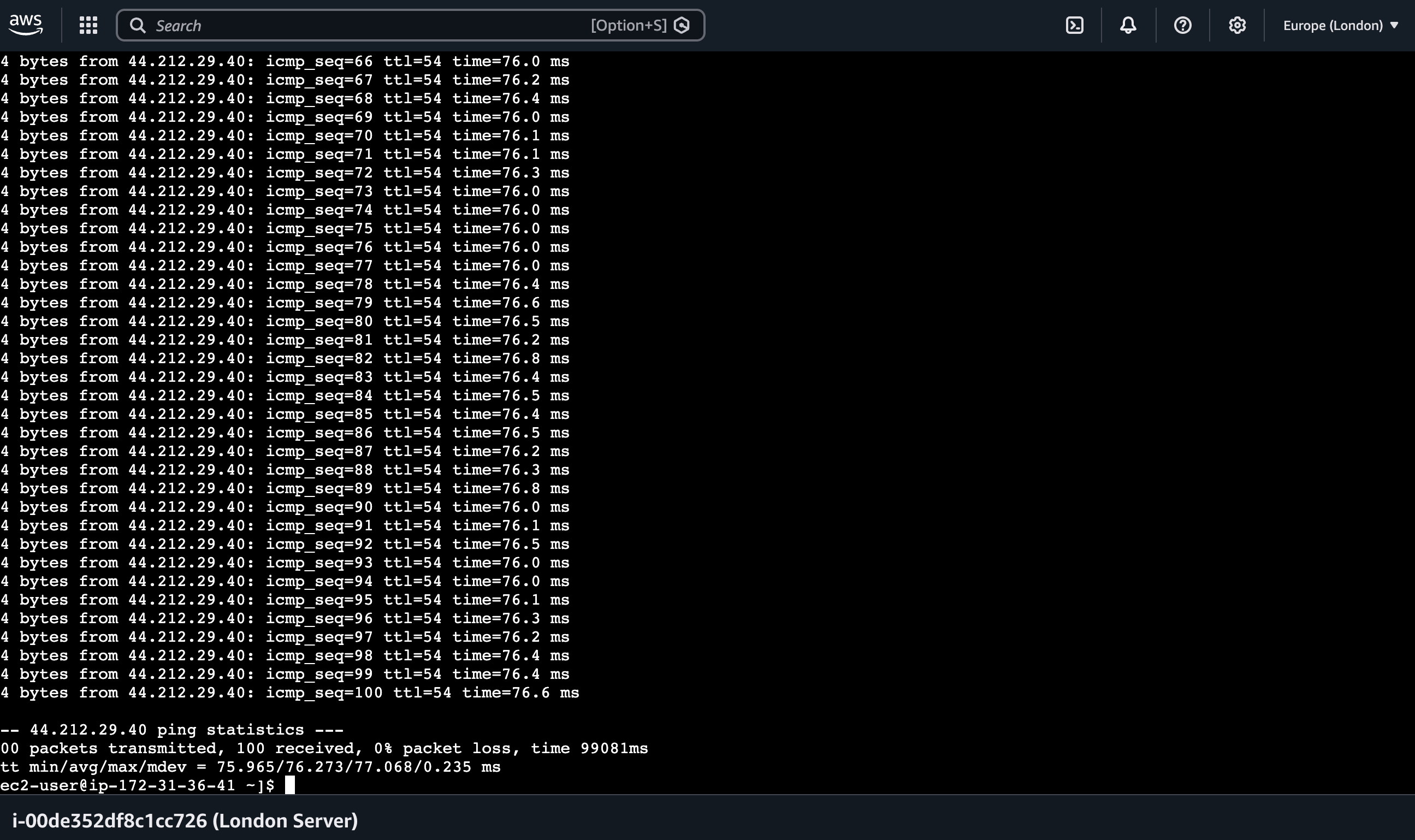
Image showing, pinging london server from new york server
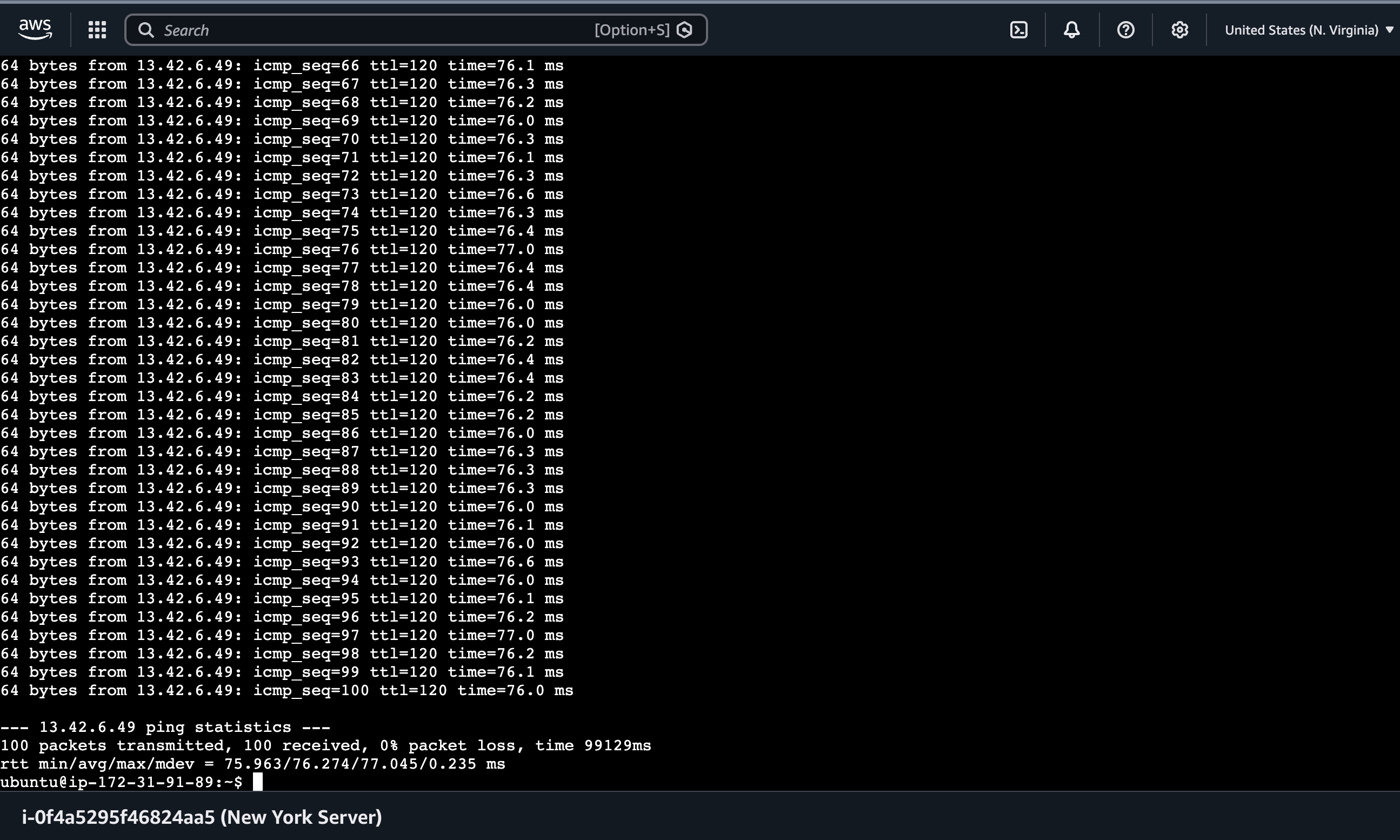
Math is convincing on paper, but I wanted to see it happen for real. So I launched two actual servers on AWS, one in Virginia (labeled New York Server in the test, since AWS has no true New York region) and one in London, and had them ping each other 100 times in each direction.
rom Virginia to London: 100 packets transmitted, 100 received, 0 percent packet loss round trip min average max = 75.963 ms, 76.274 ms, 77.045 ms
From London to Virginia: 100 packets transmitted, 100 received, 0 percent packet loss round trip min average max = 75.965 ms, 76.273 ms, 77.068 ms
Notice something interesting, both directions returned nearly identical numbers, which makes sense, the same cable and the same distance are used either way.
Now compare this to the math. The straight-line distance between Virginia and London is roughly 5,900 km, which gives a theoretical best-case round trip of around 59 milliseconds. The real, measured minimum came out to about 76 milliseconds. Every single one of the 100 packets landed above the theoretical floor, not one dipped below it. That gap of about 17 milliseconds is not an error, it is proof that other real-world delays stack on top of the pure speed-of-light number.
Where does that extra time come from? A few places:
Routing distance is not a straight line Submarine cables don't travel in a perfectly straight path across the ocean, they follow specific cable routes laid along the seafloor, plus backhaul distance from the cable landing station to the actual data center. So the real distance traveled is longer than the straight-line distance used in our formula.
Queuing delay Every router and switch along the path has to hold packets briefly in a buffer if it is busy handling other traffic before passing them along. Even a small amount of congestion adds measurable time.
Protocol and processing delay Each hop along the way has to read the packet, decide where to send it next, and forward it. This decision-making happens in nanoseconds to microseconds per device, but with many hops in between, it adds up.
Serialization delay Converting the data into electrical or optical signals to actually put it onto the wire takes a small amount of time depending on the link speed at each hop.
Virtualization overhead Since these are cloud servers, there is an extra layer, the hypervisor and virtual network stack that AWS uses to route traffic in and out of your instance, which adds a small amount of processing time compared to a direct physical connection.
None of these delays break the physics, they just sit on top of it. The 56 to 59 millisecond number is the floor, the absolute best case. The 76 millisecond number is reality, physics plus all the real-world friction layered on top of it.
The Takeaway
Every network in the world obeys the same rule, the time it takes can never be less than distance divided by the speed of light in glass. You cannot code your way around that floor. What you can control is how far the data has to travel and how many extra delays your system stacks on top of it, queuing, routing, and protocol overhead included. That is the entire reason CDNs exist, and it is now something you have proven yourself, with two real servers and one simple ping command.
Comments
Join the discussioni like that you tested the math with actual cloud servers 76ms vs the theoretical floor makes the gap very real
The derivation is clean. The conclusion is a little stronger than the maths supports though, and the gap is the interesting part. https://hashnode.com/posts/why-the-internet-can-never-be-faster-than-light-and-how-i-proved-it-with-two-cloud-servers/6a9ae22c5bc14f367133ab52 Two different things are bundled into your 56 ms. The speed of light is a law. The refractive index of 1.5 is an engineering choice, and it is actively being removed: hollow-core fiber guides light through air rather than glass, so its index sits near 1.0, worth roughly a third off transit time. It is already deployed on latency-sensitive financial routes. So that half of the number is not physics, it is the current generation of glass.
The derivation is clean. The conclusion is a little stronger than the maths supports though, and the gap is the interesting part.
Two different things are bundled into your 56 ms. The speed of light is a law. The refractive index of 1.5 is an engineering choice, and it is actively being removed: hollow-core fiber guides light through air rather than glass, so its index sits near 1.0, worth roughly a third off transit time. It is already deployed on latency-sensitive financial routes. So that half of the number is not physics, it is the current generation of glass.
The other half cuts the opposite way. 56 ms assumes a great-circle path and no cable follows one. Transatlantic routes bend around seabed terrain and landing sites, so the real floor sits meaningfully above your figure before any switching or queuing is counted.
The version I would defend: about 37 ms is the floor set by c, 56 ms is the floor for glass on a path nobody can build, and a real connection lands above both. Only the first is a law, and separating them makes the physics claim stronger rather than weaker.

